Nozbe

Your priorities.
Right on your wrist.

See what’s due, check off a task, or dictate a quick comment to your team without reaching for your iPhone.
Sign up for free

Get started with Nozbe Premium today.
Get organized or get your money back!

Buy Premium
Nozbe app on Apple Watch showing a priority task

From glance to done in seconds

  • Glance

    See your priorities.

  • Tap

    Check off a task.

  • Talk

    Dictate a comment.

  • Assign

    Hand off a task.

Sign up for free

Get started with Nozbe Premium today.
Get organized or get your money back!

Buy Premium
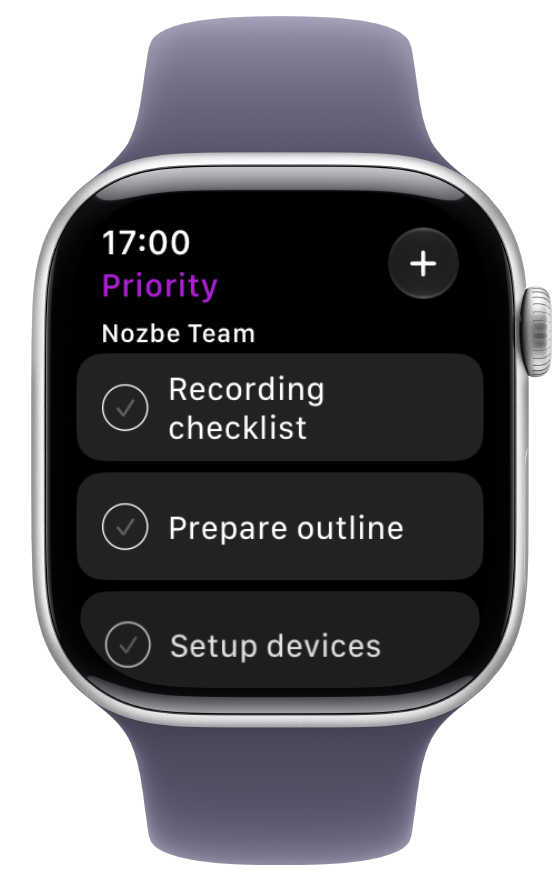
Priority list in Nozbe on Apple Watch
Priority

What matters most, one glance away

Open Nozbe on your wrist and your Priority list is right there. Act on it in a tap and get back to what you were doing.
  • Add a task
  • Complete a task or remove it from Priority
  • Assign a task to a teammate
Sign up for free

Get started with Nozbe Premium today.
Get organized or get your money back!

Buy Premium
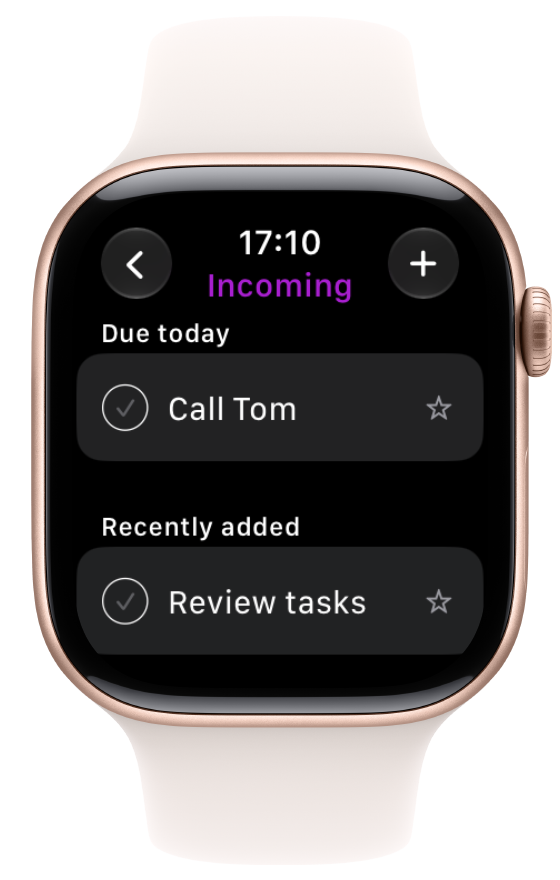
Incoming list in Nozbe on Apple Watch
Incoming

Know what's new without opening your laptop

Incoming gathers everything that needs your attention – tasks due today, tasks assigned to you, mentions and more. Check it right on your wrist, without reaching for your phone or computer.
  • Incoming from each of your spaces, shown separately
  • Star a task to add it to your Priority list
Sign up for free

Get started with Nozbe Premium today.
Get organized or get your money back!

Buy Premium
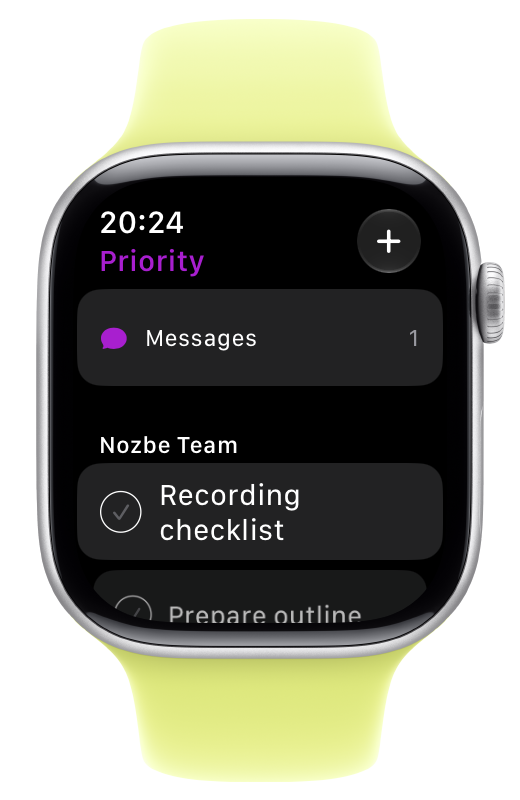
Messages and priority tasks in Nozbe on Apple Watch
Teamwork

Stay in the conversation with your team

A teammate asks a quick question? Answer right away and move on. Your team keeps moving, and you don't have to get your phone out.

  • Comment on tasks – type or simply dictate
  • React to comments to show you've seen them
  • Read your messages and reply to them from the watch
Sign up for free

Get started with Nozbe Premium today.
Get organized or get your money back!

Buy Premium
Built for watchOS

Small screen. Big focus.

The Watch app shows only what matters, so you can act on it and get back to your day.

Works on its own

Add, complete and comment on tasks even when your iPhone isn't with you. Everything syncs as soon as it's back in range.

Every space, kept apart

Priority and Incoming from all your spaces, each in its own section – so different teams never get mixed up.

From notification to task

Tap a task notification to open the task in the watch app – even if it isn't in your Priority list.

Sign up for free

Get started with Nozbe Premium today.
Get organized or get your money back!

Buy Premium
Get started

Up and running in a minute

  1. Get Nozbe on your iPhone

    Download Nozbe from the App Store and log in to your account.

  2. Add it to your Watch

    Install Nozbe on your Apple Watch – from the Watch app on your iPhone or the App Store on your Watch.

  3. Star your priorities

    Star your most important tasks. They'll be waiting on your wrist.

Sign up for free

Get started with Nozbe Premium today.
Get organized or get your money back!

Buy Premium

Questions? Answers.

  • 1. Do I need my iPhone nearby?

    No. You can add, complete and comment on tasks even when your iPhone isn’t with you. As soon as your phone is back in range, all your changes sync automatically.
  • 2. Which tasks can I see on my Watch?

    Your Priority list and Incoming. You can also open a task straight from its notification, even if it isn’t in Priority.
  • 3. I'm in several spaces. Will it get messy?

    No. The watch app shows your Priority and Incoming tasks from all your spaces, each in its own section. You’ll always know which space a task belongs to.
  • 4. Why does a message stay unread after I open it on my Watch?

    On Apple Watch, a message stays unread until you reply to it. Just opening it won’t clear the notification or mark it as read on your iPhone, so you won’t miss anything you only glanced at.
Sign up for free

Get started with Nozbe Premium today.
Get organized or get your money back!

Buy Premium

Put your priorities on your wrist

Install Nozbe on your iPhone, then add it to your Apple Watch to check tasks and reply to your team from your wrist.